Create a Crew
Background
Crews help you organize job site laborers into manageable groups. Each crew performs specific scopes of work, such as concrete, and is managed by a Foreman or Crew Lead who oversees their progress.
Things to Consider
Each crew can only have one Crew Lead.
Prerequisites
Add the employees you want on the crew. See Add a User Account to the Project Directory.
Add the workers you want on the crew. See Add a Worker.
Steps
Navigate to the project's Crews tool.
Click Create and select Create Crew.
Add crew members.
Employees
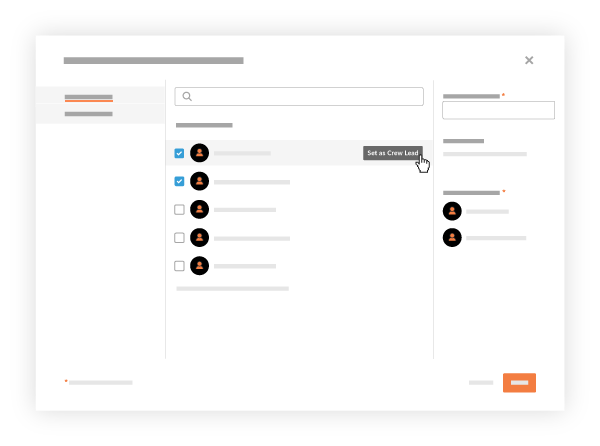
In the 'All Employees' menu, mark the checkbox next to each person that you want on the crew.
Optional: To select a Crew Lead, hover over their name and click Set as Crew Lead.
Equipment
Click the Equipment menu.
Mark the checkbox next to each piece of equipment you want to add to the crew.
Enter the crew's name in the Name Your Crew box.
Click Create.
See Also
Loading related articles...