Exporter une lettre de transmission au format PDF
Éléments à prendre en compte
Autorisations utilisateur requises :
Autorisations de niveau « Lecture seule » ou supérieures dans l’outil Transmissions du projet.
Conditions préalables
Escalier
Accédez à l’outil Transmissions du projet.
Recherchez la transmission souhaitée dans la liste et cliquez sur Afficher.

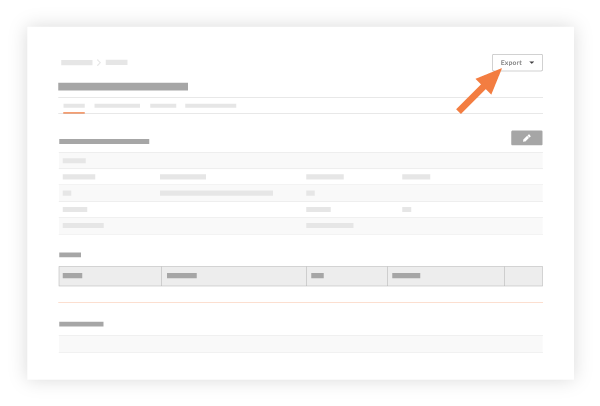
Cliquez sur Exporter.
Choisissez l’une des options suivantes :
Fichier PDF. Sélectionnez cette option pour générer un résumé PDF de la transmission. Le PDF s’ouvrira dans un onglet séparé de votre navigateur Web.
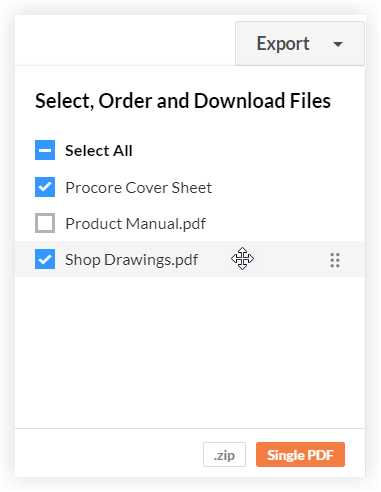
PDF avec pièces jointes. Sélectionnez cette option pour exporter un PDF combinant une ou plusieurs pièces jointes de la transmission.* Cochez les cases à cocher à côté des fichiers que vous souhaitez combiner ou cliquez sur Sélectionner tout.
Remarque: vous ne pouvez pas ajouter plus de 40 pièces jointes à l’exportation PDF* Pour réorganiser les fichiers, passez la souris sur la ligne d’un fichier jusqu’à ce que l’icône s’affiche Poignée verticale (⋮⋮) et utilisez une opération de glisser-déposer pour déplacer le fichier vers une nouvelle position.Cliquez sur PDF unique ou .fichier zip
Une bannière « Succès » s’affiche pour confirmer que l’exportation a commencé. Le système vous enverra un e-mail pour vous avertir lorsque l’exportation sera terminée et inclura un lien vers le fichier exporté.
Voir aussi
Chargement des articles connexes...