Equipment Utilization - Last 7 Days
This project-level Insights tool helps you rack equipment activity directly at the project level. This Insights tool is available in the Project Insights side panel. Project teams can quickly identify and address idle equipment or machinery to reduce unnecessary costs. They can monitor equipment usage and idle equipment over a trailing 7-day window without manually cross-referencing Daily Logs, Timesheets, Inspections, and rental records, and get two concrete next actions in the tool.
The Equipment Utilization - Last 7 Days Insights tool shows the following:
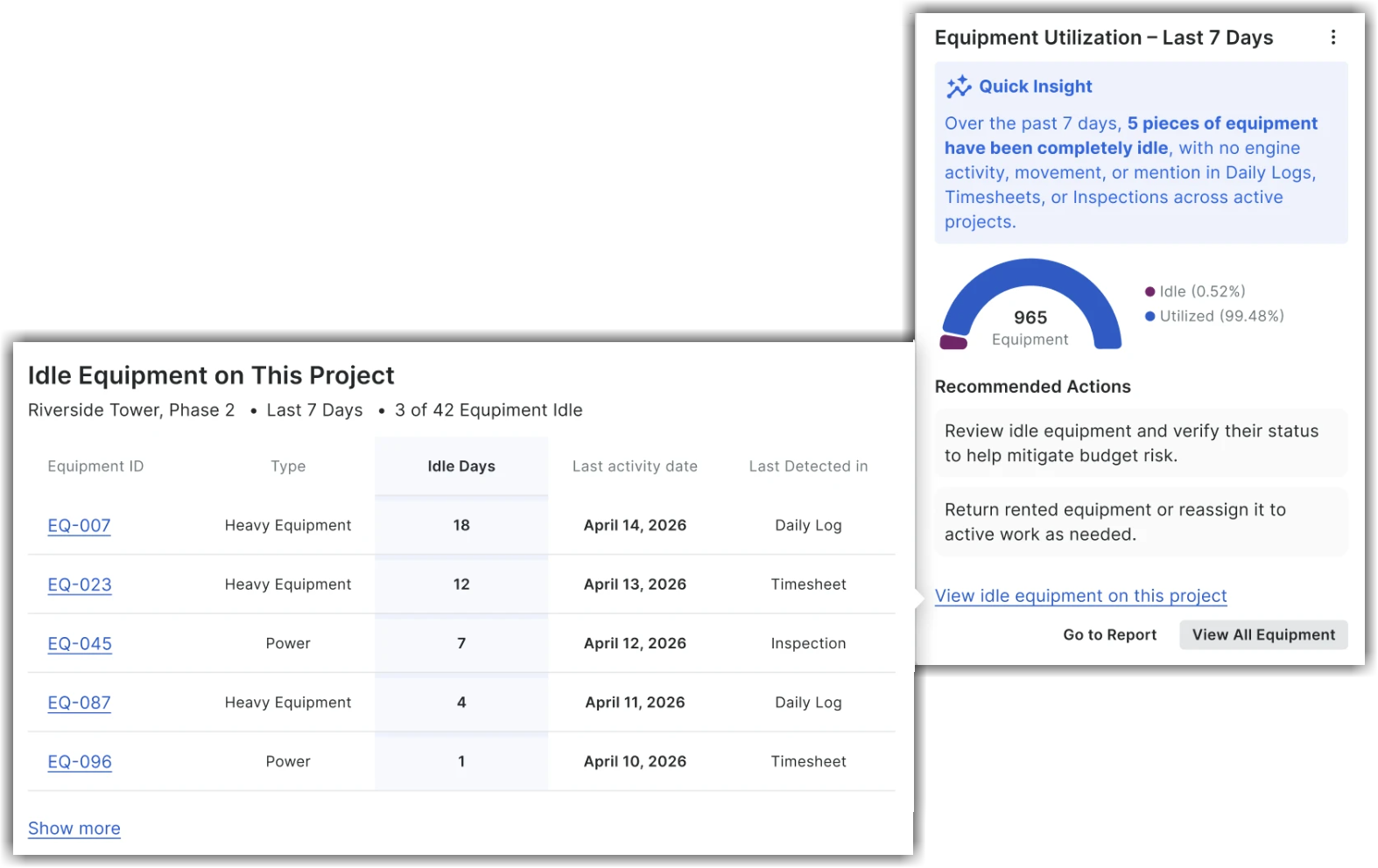
Quick Insight Section: Instantly see the total count of equipment sitting completely idle over the past 7 days (for example, no engine activity, movement, or mentions in Daily Logs, Timesheets, or Inspections).
Equipment Utilization Breakdown Chart: View the interactive donut chart - which shows total equipment on the project with utilized and idle shares, and a 100% positive state when all equipment is active.
Recommended Next Actions: Access direct guidance to review idle equipment, return rented equipment, or reassign machinery to active scopes of work, and mitigate budget risk.
Detailed Drill-Down: Click View Idle Equipment on This Project to view an itemized list of idle equipment records in a different screen. This new screen contains a header showing the project name, the 7-day window, and how many of the project's equipment records are idle. You can view the equipment records list with Equipment ID, Type, Idle Days, Last Activity Date, and Last Detected in (the source where it was last detected - for example, Daily Log, Timesheet, or Inspection sorted by Idle Days).
Click View All Equipment to navigate to the project's Equipment tool directly from this Insights tool. Similarly, click Got to Reports to go to the Reports page.