About the Early Pay Programs Tab in the Payments Tool
Background
With Early Pay Programs, the In Procore Pay, a payor is a general contractor who sends invoice payments to specialty contractors. In Procore Pay, a payee is a specialty contractor who receives invoice payments from a general contractor. Also called a beneficiary. In Procore Pay, a Payments Admin is a designated Procore user who administers the Company level Payments tool for that company's Procore account. Typically, one (1) or a small number of trusted users are designated to perform the tasks associated with this role.
Things to Consider
Additional Information:
Prerequisites
Contact your Procore point of contact to request to enable Early Pay Programs on the payor's account.
Once enabled, follow the steps in Enable Procore Pay as a Payor.
Steps
Navigate to the Company level Payments tool.
The Subcontractor Invoices tab is active by default.Click Early Pay Programs.
The tab lists all of your company's Early Pay Programs.
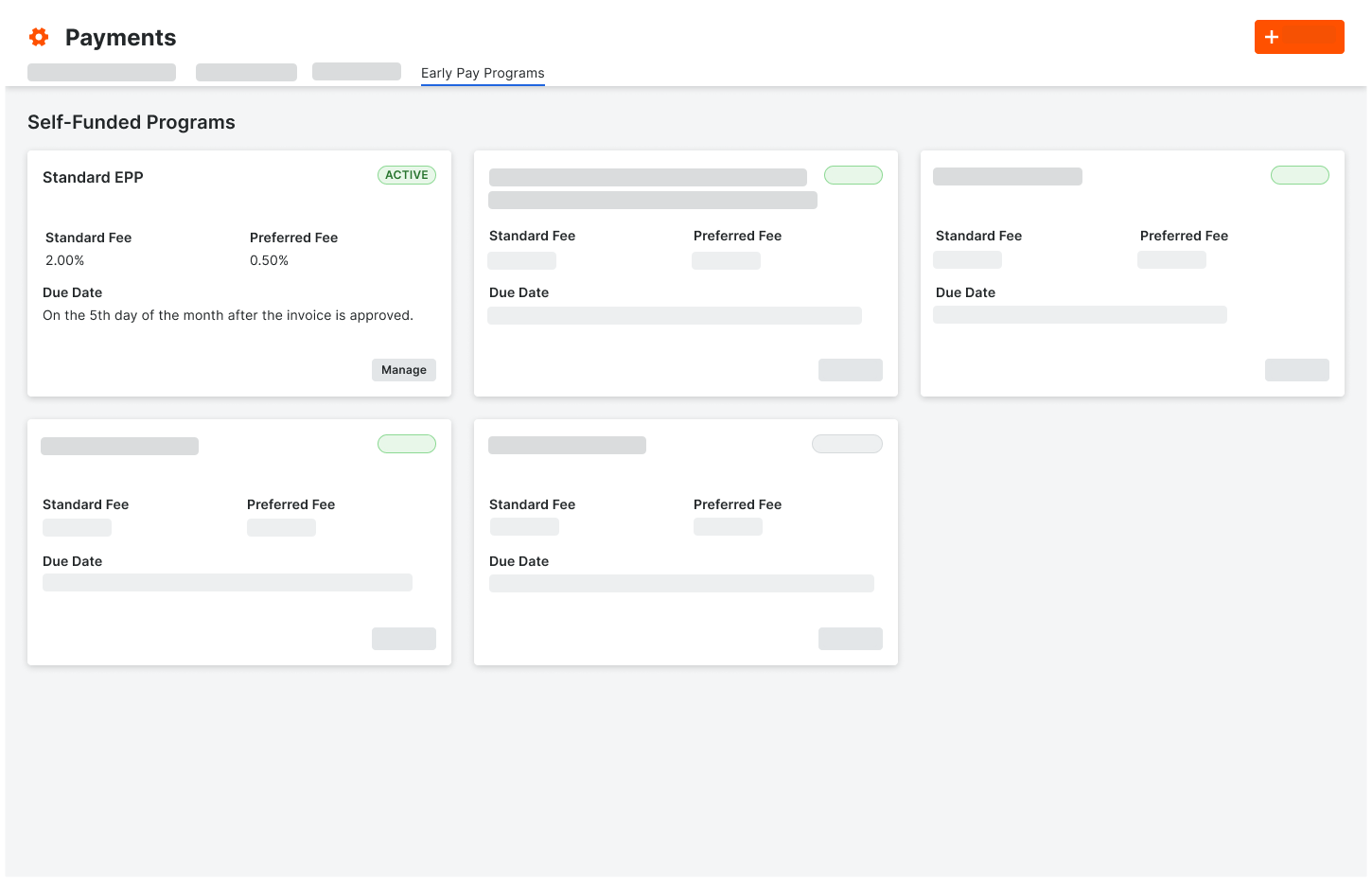
Program Cards
Each program has a card with these elements.
Element | Type | Description |
|---|---|---|
Active | Status | Shows the current status of the Early Pay Program in Procore Pay: Active or Inactive |
Standard Fee | Percentage | Shows the program's percentage rate for standard participants. See Manage Participation and Discount Rates for Early Pay Programs as a Payor. |
Preferred Fee | Percentage | Shows the program's percentage rate for preferred participants. See Manage Participation and Discount Rates for Early Pay Programs as a Payor. |
Due Date | Date | Shows the rules/configurations to determine the early payment due date. Dates are set based on each program's 'Due Date Method'. To learn more, see Create Early Pay Programs as a Payor. |
Manage | Button | Authorized users can click this button to manage the program. See Manage Early Pay Programs as a Payor. |
See Also
Loading related articles...