Cancel Premium Estimating Subscription for Your Free Procore Account
Limited Release
Free Procore accounts are currently only available in the United States and Canada.
Free Procore accounts are currently only available in the United States and Canada.
Log in to your free Procore account.
Click the Account and Profile icon.
This shows as your initials by default, or an avatar if you uploaded an image.

Click Account Settings.
Click the Subscriptions tab.
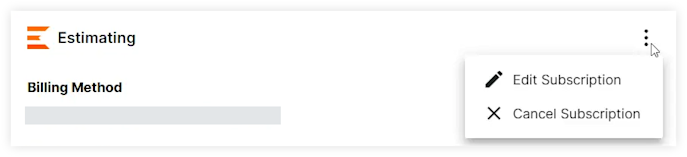
Click the vertical ellipsis  next to the 'Estimating' header and select Cancel Subscription.
Loading related articles...