Envoyer des photos par e-mail (sortant)
Éléments à prendre en compte
Autorisations utilisateur requises :
« Standard » ou « Admin » dans l’outil Photos du projet.
Informations complémentaires :
Vous ne pouvez envoyer par e-mail que les photos d’une page à la fois.
Steps
Navigate to your project's Photos tool.
Mark the checkboxes to select the photos you want to email.
Note: En maintenant la touche Maj enfoncée, vous pouvez sélectionner une plage continue de photos à la fois, au lieu de cliquer sur chaque photo individuellement. Vous pouvez également parcourir et charger rapidement des milliers de photos dans une vue unique et continue, sans avoir à cliquer sur plusieurs pages.Click the Bulk Actions dropdown menu.
Note: You can only click this drop-down when photos are selected.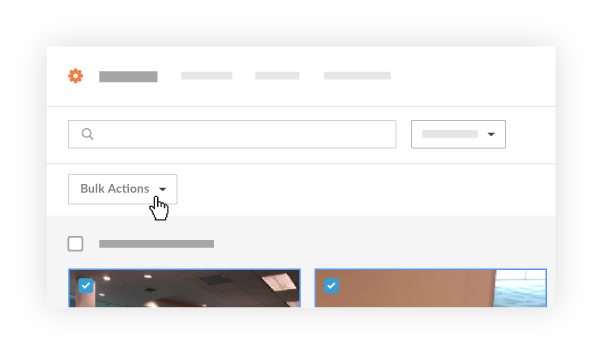
Click Email option.
Fill in the following fields.
To: Select people from your directory to receive the email. (Note: You can send an email from the Photos tool to anyone in the Project level Directory.)
CC: Select people to be carbon copied on the email. (Note: You can select from anyone in the Project level Directory.)
Subject: Fill in a subject for your email.
Message: Type in a message for the recipients to read.
Note: You will not need to manually attach the photos you wish to send. They will already be attached. Users can download a .zip file (for multiple photos), or a .jpg file (for an individual photo) from the email using the download link.
Click Send to send your email.
Voir aussi
Chargement des articles connexes...